

Where Does My Photography Live?
File management workflows of the modern photographer

For so many of us creatives, if you lose your files, you lose your stories. It takes a lot of effort to share a great story, but it only takes one corrupted card, a misplaced drive, or an accidental format to erase priceless memories.
I’ve suffered this fate in the past and as a result, I’ve built a multi-tiered file management workflow to make sure that never happens again. From the moment the shutter clicks to the final print, here’s how I protect, archive, and share my work.
Sponsored By picdrop
picdrop is an online media management platform built to store your work quickly and securely. It’s an elegant home for your storytelling, whether you’re showcasing recent images to clients or collaborating with teams on ongoing projects. Here’s an example of a public gallery I set up in just a few minutes.
The concept is simple: give your work a beautiful place to live online and control exactly how it’s shared. I’ve come to rely on picdrop over the last few months for my client work. If you want to see if it fits your workflow, visit picdrop.com and use code GAJANBALAN for a two-month free trial.
The First Copies
Whether it’s a studio session or after a morning of street photography, my images all go through the same file management workflow. It starts with the memory cards. I can’t stress this enough: invest in fast, reliable memory cards. This is where the first copy gets captured, and I never want to be in a situation where a card failure is the reason my images are missing.
Next, I make a copy from the memory card to an SSD. This is where my working copy lives. I use Capture One Pro for editing my work, and this SSD is where I point the program when working through the images. If you want to know the five reasons I prefer Capture One over alternatives, you can read about it here.
Second & Third Backups
Before I start any editing, I make another copy to a hard drive (the spinning disc kind). I’ve stuck with the 5TB LaCie Rugged drives and, as of now, there are 49 of them serving as my long-term backup for all my work. Once I’ve made a backup to this hard drive, I can go ahead and wipe my memory cards for the next shoot.
Once I’m back at my office, I make a third copy of the images on my QNAP NAS storage. I’ve used cloud backup solutions in the past, but it just became far too expensive for my volume of work. Instead, I built my own RAID solution that I can access from anywhere in the world. This NAS is where I can access files more readily months or years after I’ve moved on from a project.
Desktop Management
Once I’ve completed the editing process, I export the final images to a nested folder structure under my Documents, and this folder is completely synced to Dropbox online. This gives me the peace of mind that all my delivered work and critical files are securely stored in the cloud, far beyond the four physical walls of my office.
Once this is done, I replace my NAS copy of the images with the finished working version from my SSD, then proceed to delete the SSD copy.
The Gallery Online
Some of my images find their way to social media, but most, especially client deliverables, used to just sit in folders. Having my work live in a series of nested folders or buried in the Photos app on my phone felt disrespectful to the craft. It’s a pain that I carried for years, and it wasn’t until recently that I found picdrop,
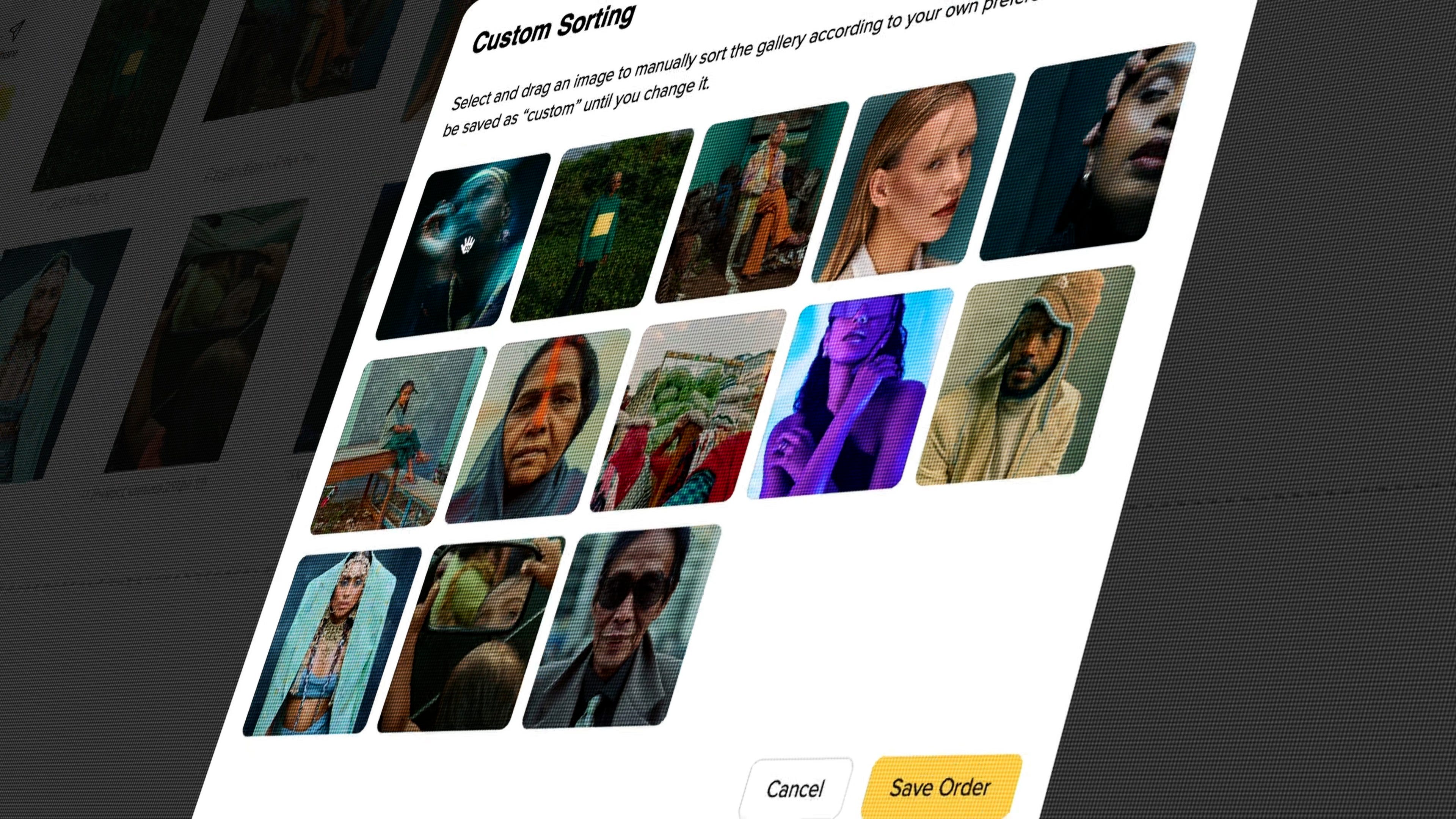
I have a website for hosting a static look at my work but keeping that updated is an involved process. The reason I’ve come to appreciate picdrop is because of how quickly I can throw my exports online, curate the look, share it as a gallery, or use it as a collaborative tool with teams. It’s a well-designed platform, which made it easy to say yes when they asked to sponsor my work.
I’ve been using picdrop for months, and I’m genuinely sold on the service. I was able to take years of work and create a home for them online. You can see it in action here.
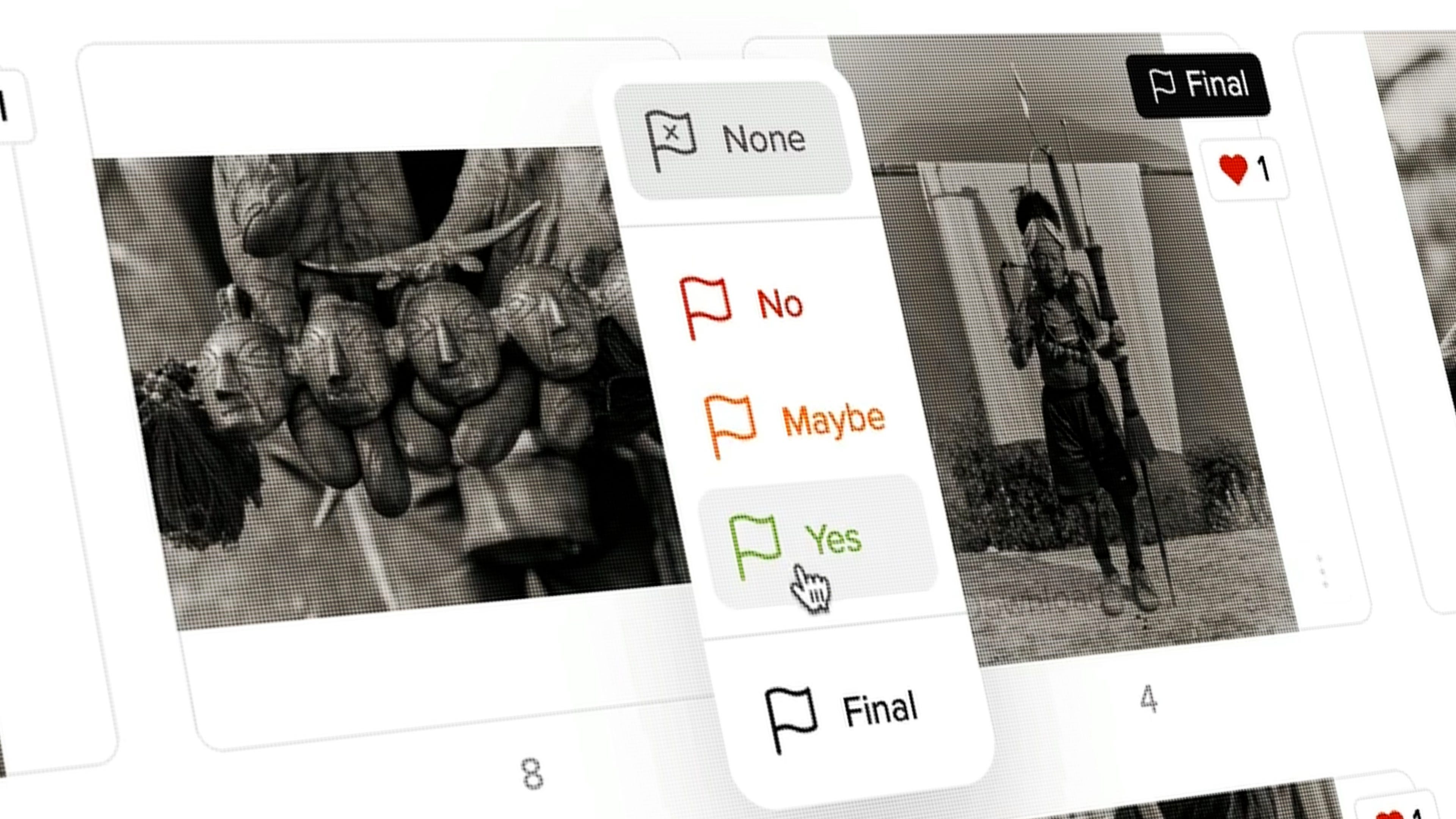
I also use the platform to host deliverables and manage ongoing projects with my most important clients. Recently, I used it to create a shared gallery where over a dozen of my photography friends could share images from a group trip to Svalbard.
Look, I know the idea of sponsored posts might feel like an ick to some people, but like I’ve said in the past, I don’t recommend anything that I wouldn’t use myself. picdrop solved a big problem for me. However, it’s hard to know if it can deliver for you. Which is why I asked the team to give my readers a two-month free trial.
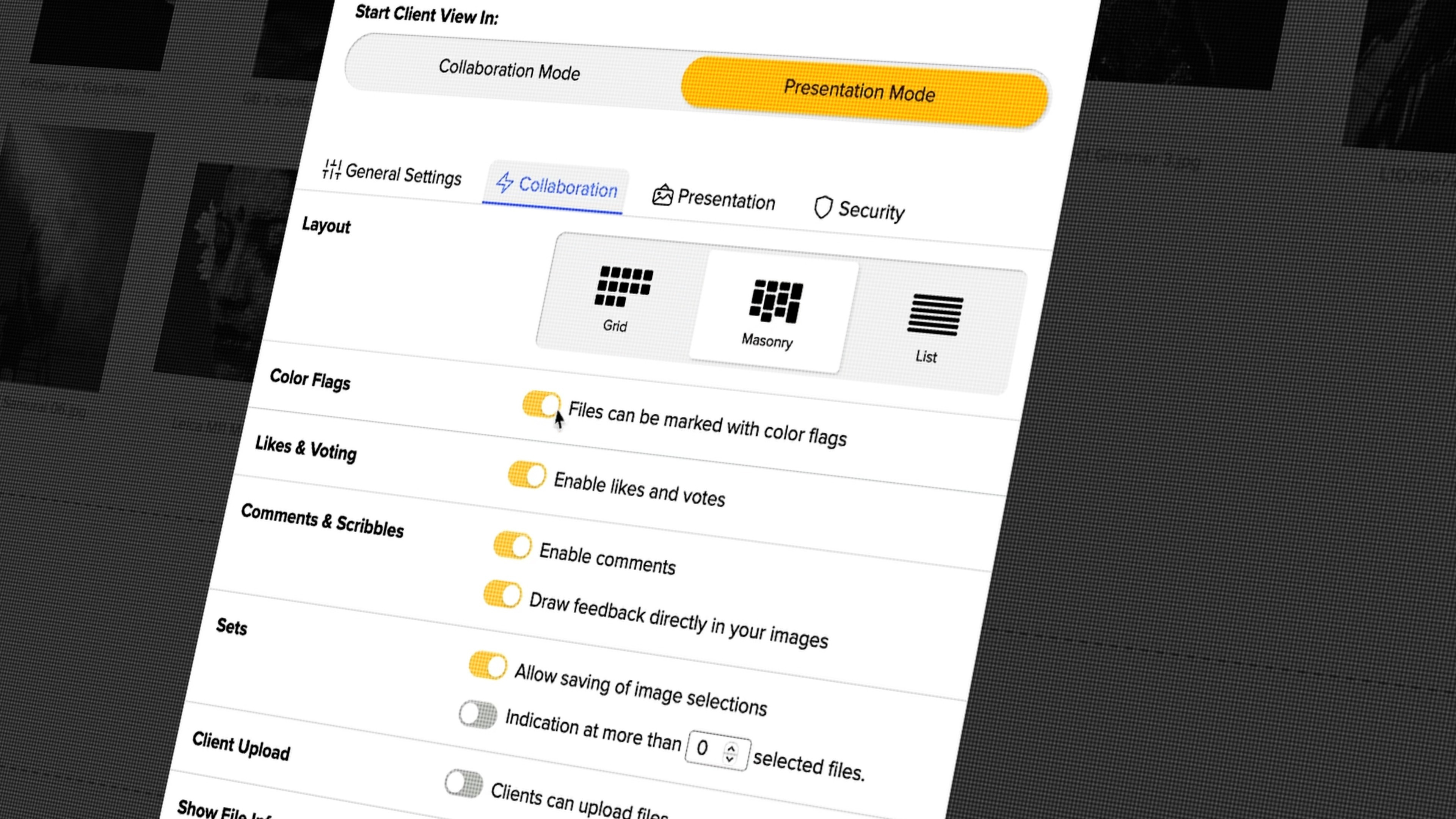
Visit picdrop.com, create a free account, and use code GAJANBALAN to get a two-month trial. Go ahead, stress test the platform, and let me know what you think.
Print Your Work
The last step in my file management is creating a physical copy. I used to overthink this process, looking to have the best paper, printer, and ink at home for something that felt like it honoured the process. It created a block in my process.
Overthinking the print meant that I had next to no physical copies of my journey. Instead, I’ve been printing simple value prints that cost a few bucks, giving me a quick way to see the work in physical form. These are usually in a 5x7” format, and I stick them in a travel-friendly album.
Of these prints, I’ll curate a handful of my favourites where I can sweat the details and look to create an archival-quality master print. More on this later this month.
What’s Your Process?
Some of you may have read through this story and found some new tricks. Others may feel like this is too involved for something that’s just your hobby. At the end of the day, there’s no perfect solution. It’s whatever works for you and, importantly, doesn’t get in the way.
With that said, I’d love to hear what your file management process is, so let me know in the comments down below.
Upcoming Events & Workshops
India: North & South Street Photography Workshop
If you’re looking for an authentic and unforgettable street photography adventure across India, this workshop is for you. Two seats are available for my workshop from February 5th-14th next year. Email me to reserve your spot.
Previous Favourites
NEW July Contest
This month, I’ll be giving away a $200 gift card to the Moment Shop where the winner can save big on their next camera, lens, bag, or courses. Moment has so many creative products to choose from and $200 can absolutely make for a great deal.
How will I pick the winner? Make sure you’re signed up for this newsletter then leave a comment on at least one post from this month. I’ll be randomly picking one person, confirming they meet the requirements and contacting them directly before announcing the winner publicly.
As always, this contest is void where prohibited by law. Good luck!
My thanks to the team at Moment! Not only for this contest but for being the longest supporter of my work online. They’re a lean team of passionate creators that truly believe in supporting other creatives on their journey. Whether it’s a new camera, lens, workshop, or just some great articles, visit ShopMoment.com today.
What’s Next?
I’m flying out to Chicago today and will be attending my friend Mathieu Bitton’s gallery opening on Friday, July 10th. There’s also a talk and book signing the following day. If you love photography and are in the Chicago area, you won’t want to miss this.
GB
Thanks for sharing your backup strategy. Have you looked into Amazon S3 Glacier Deep Archive as a long term archive for past projects?
My backup strategy is similar when traveling. I'm not managing anywhere near as large of a dataset as you though.
1. Record to two SD/CFe cards when possible in camera.
2. At the end of the day copy SD/CFe to an external SSD.
3. Also copy the SD/CFe to cloud backup (if internet speeds allow).
4. I always have one copy on me and one in hotel (external SSD). When changing out SD/CFe cards, I keep one of the pair on me and the other in the hotel with the external SSD. If one gets stolen, it's unlikely I'll lose both copies. If for whatever reason I do, there's the cloud copy.
5. Back at home, copy SD/CFe to desktop NVMe SSD. NVMe SSD is synced to a NAS. NAS does another backup on schedule to Backblaze B2.
I don't wipe my SD/CFe cards or the SSD used for backup in the field until preparing the next assignment.
I also can't afford Backblaze B2 to have a hot copy of all my files. When I'm done with projects for the year, I archive them all into .tar files, compute sha256 checksums, and upload in 5GB chunks into Amazon S3 Glacier Deep Archive. It's very much more affordable to store in deep archive than having cloud data hot. Recovering from this would be a last resort and I am okay with paying the restoration costs.
Very similar:
1- Dual cards with DNG to both when using a camera that is capable
2- SSD backup when remote (clear when moved to RAID at office)
3- Working copy local on MacBook until done editing and/or delivered
4- G-RAID (SSD and spinners) when back to office
5- RAID backed up to cloud on Backblaze (insanely affordable)
Thanks for sharing your system.